
You’re standing in your basement, staring at a pipe that’s been draining slowly for weeks. Something is clearly wrong, but the blockage is deep inside the wall where you can’t see it. Or maybe you’ve noticed a draft coming from somewhere behind your drywall, and you need to check for gaps in insulation without tearing everything apart. These hidden problems drive homeowners crazy, and calling a professional for every inspection gets expensive fast. That’s where inspection cameras come in—but the moment you start shopping, you run into two terms that seem almost identical: borescope and endoscope. Are they the same thing? Does it matter which one you buy? The confusion is real, and picking the wrong tool means wasted money or inadequate results. This guide breaks down the differences between borescopes and endoscopes, walks you through popular models, and helps you choose the best inspection camera for your specific DIY needs—so you can finally see what’s hiding in those hard-to-reach spaces.
What Are Borescopes and Endoscopes? A Basic Overview
A borescope is a camera-equipped inspection tool designed to peer into narrow, hard-to-reach spaces. It can be rigid like a metal tube or flexible with a snake-like cable, and it carries a tiny camera lens at its tip along with LED lights for illumination. Mechanics use borescopes to examine engine cylinders, plumbers snake them through pipes, and homeowners thread them into wall cavities to check wiring or insulation without cutting open drywall.
An endoscope, by strict definition, is a medical instrument designed for examining the interior of the human body—think colonoscopies or throat inspections. These devices demand extremely high image quality, biocompatible materials, and precise articulation controls. However, manufacturers have borrowed the term for consumer-grade inspection cameras, which is where the confusion begins.
Both tools share the same fundamental purpose: delivering a visual feed from places your eyes can’t reach. They use miniaturized cameras, flexible or rigid insertion tubes, and built-in lighting to capture images or video in dark, confined spaces. For home use, you’ll find products labeled as either borescopes or endoscopes sitting side by side on the same shelf, often with nearly identical specifications. The terms are frequently used interchangeably in the consumer market, but understanding their origins reveals key distinctions in build quality, intended environment, and feature sets that matter when you’re choosing the right tool for a specific job.
Key Differences Between Borescopes and Endoscopes
When you dig into the borescope differences that actually affect your buying decision, several factors stand out. Design rigidity is the first major distinction. Traditional borescopes come in rigid versions—straight metal tubes ideal for looking down engine cylinders or gun barrels—and flexible versions with articulating cables that navigate bends in plumbing or ductwork. Consumer endoscopes are almost always flexible, built with semi-rigid cables that hold their shape when pushed but bend around gentle curves.
Diameter and length vary significantly between models marketed under each name. Borescopes designed for industrial use typically range from 4mm to 8mm in diameter with cable lengths from one to five meters, making them suitable for threading through pipes, wall cavities, and mechanical assemblies. Medical endoscopes feature ultra-thin profiles and longer reach, but consumer versions labeled as endoscopes often match borescope dimensions exactly.
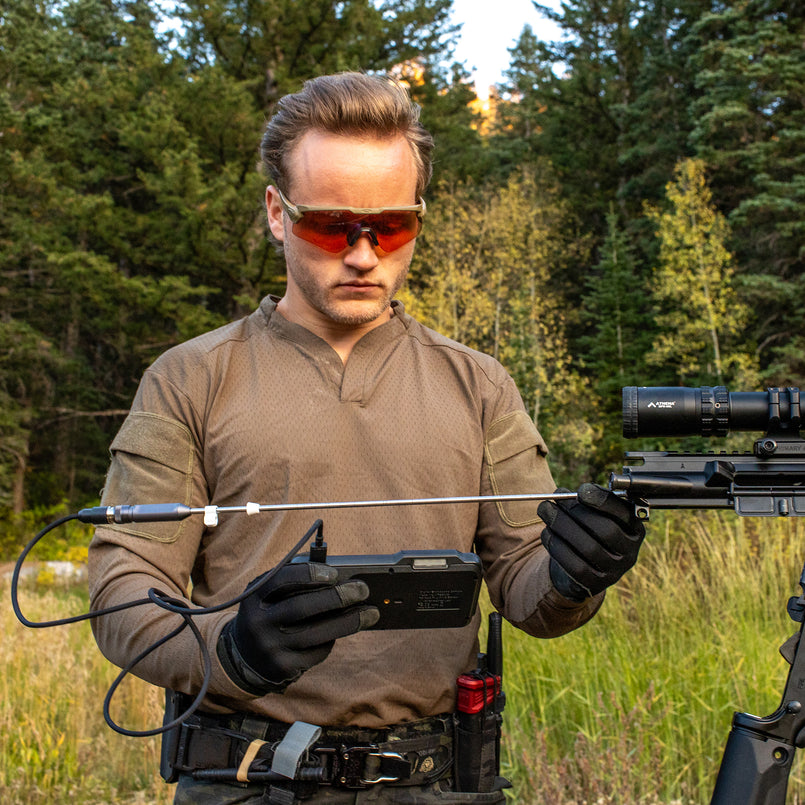
Illumination on both devices relies on LED lights positioned around the camera lens, though borescopes tend to offer adjustable brightness controls more frequently since they operate in environments with varying reflectivity—shiny metal surfaces versus dark insulation, for example. Image quality presents another dividing line: medical-grade endoscopes deliver superior resolution for diagnostic precision, while consumer borescopes and endoscopes typically offer comparable quality ranging from 720p to 1080p.
The practical distinction comes down to intended application. Borescopes are engineered for mechanical and structural inspections where durability, waterproofing, and rugged construction matter most. Endoscopes prioritize precision articulation and image clarity for delicate examinations. For the average homeowner, this comparison table summarizes what matters:
| Feature | Borescope | Consumer Endoscope |
|---|---|---|
| Primary Use | Mechanical/structural | General inspection |
| Build | Rigid or flexible | Mostly flexible |
| Waterproofing | Common (IP67+) | Varies |
| Durability | Higher | Moderate |
| Image Quality | 720p–1080p | 720p–1080p |
Exploring Different Borescope Models: USB, WiFi, and More
Once you’ve decided an inspection camera belongs in your toolkit, the next challenge is figuring out which type actually fits your workflow. The market breaks down into three main categories: USB borescopes, WiFi borescopes, and standalone units with built-in screens. Each connects and displays footage differently, and that distinction shapes how you’ll use the tool during real inspections around your home.
Beyond connectivity, camera app integration has become a major selling point. Most modern inspection cameras pair with dedicated smartphone apps that let you capture still images, record video, and even annotate footage for future reference. This turns your phone into a portable inspection monitor, which is far more convenient than squinting at a tiny built-in display while you’re crouched under a sink or reaching into a ceiling cavity. Standalone units eliminate the need for any external device—they include their own LCD screens and onboard storage—but they cost more and add bulk to what should be a nimble tool. For most homeowners tackling occasional inspections, the choice comes down to USB versus WiFi connectivity.
USB Borescopes: Wired Reliability
USB borescopes connect directly to your laptop, tablet, or smartphone through a USB or USB-C port, delivering a plug-and-play experience with zero wireless interference. They draw power from the connected device, so there’s no battery to charge on the camera itself. This makes them ideal for longer inspection sessions where you’re methodically working through a plumbing run or tracing electrical conduit behind walls. The wired connection also means zero latency in the video feed and consistent image stability. The tradeoff is limited mobility—you’re tethered to your device by the cable length, and some phones require specific OTG adapters or companion software to recognize the camera.
WiFi Borescopes: Wireless Convenience
WiFi borescopes broadcast their video feed wirelessly to your smartphone or tablet, freeing you to position the camera independently of your viewing device. You connect through a dedicated app, and most models create their own WiFi hotspot so no existing network is required. This setup shines during mobile inspections—crawling through an attic, working under a vehicle, or checking gutters from a ladder where a tethered cable would be cumbersome. The downsides include limited battery life (typically one to two hours per charge), occasional signal dropouts in metal-heavy environments, and slightly compressed image quality compared to a direct wired feed. For quick diagnostic checks rather than extended sessions, WiFi models offer unmatched flexibility.
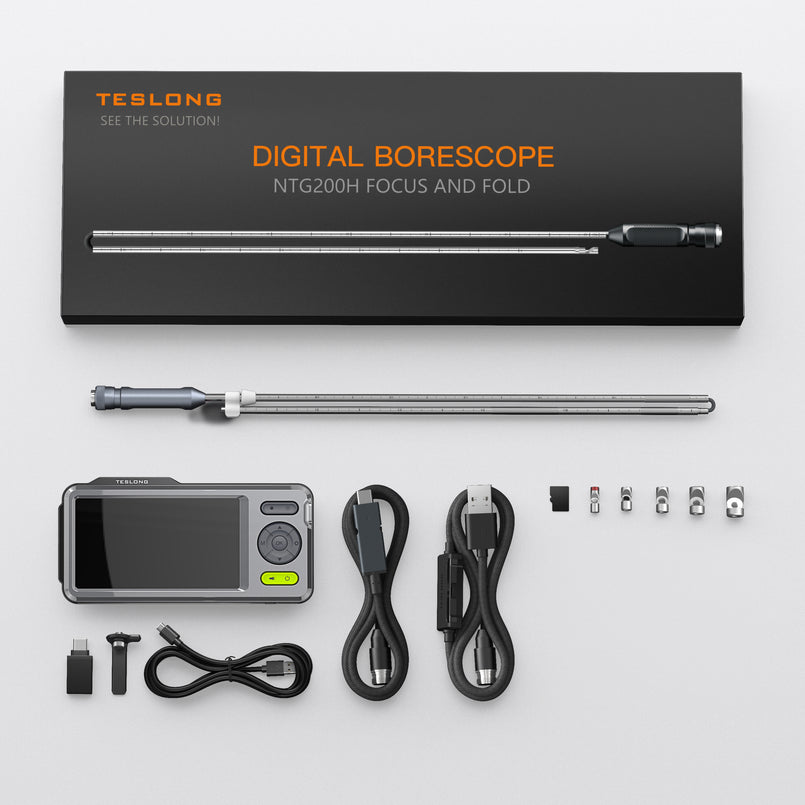
How to Select the Best Inspection Camera for Home Inspections
Choosing the best inspection camera starts with honestly assessing what you’ll actually use it for. A homeowner who primarily needs to check plumbing drains has very different requirements than someone inspecting wall cavities for moisture damage or examining an engine block. Your specific application dictates the minimum specs you need—and prevents you from overspending on features you’ll never touch.
Start by identifying your primary inspection environment. Plumbing work demands waterproofing rated at IP67 or higher and a cable long enough to reach deep into drain lines—typically three meters minimum. Wall and ceiling inspections require a slim diameter (5.5mm or less) to fit through small drilled holes, plus a semi-rigid cable that holds its shape when pushed vertically. Automotive work benefits from shorter, more maneuverable cables with bright LED output to cut through oily, dark engine compartments. Brands like Teslong offer a range of borescope options across these categories, making it easier to find a model tailored to your specific inspection environment.
Next, match your connectivity preference to your working style. If you inspect in one position—standing at a workbench or kneeling beside an access panel—a USB borescope gives you reliable, lag-free footage without worrying about battery life. If you move between locations or work in tight spaces where a tethered phone creates problems, a WiFi model earns its keep. Resolution matters less than you might think for most home tasks; 720p clearly reveals cracks, blockages, and pest damage, though 1080p helps when you need to zoom into captured images later.
Follow this decision sequence to narrow your options: first, define your most common inspection task. Second, set a budget that accounts for any accessories you’ll need like hook attachments or mirror tips. Third, verify device compatibility—check that the camera works with your phone’s operating system or your computer’s ports. Fourth, read user reviews focused on durability after repeated use rather than first-impression unboxings. Finally, confirm the warranty covers the cable and camera tip, since those components endure the most stress. This methodical approach ensures you invest in a tool that actually solves your problems rather than collecting dust in a drawer.
Practical Applications and Tips for Using Inspection Cameras
Once you have your inspection camera in hand, knowing how to deploy it effectively makes the difference between a frustrating experience and a genuinely useful diagnostic session. HVAC ductwork is one of the most common applications—thread the camera through a vent register to spot mold growth, accumulated debris, or disconnected joints deep within the system. Pest inspections become far less invasive when you can slide a slim camera into wall cavities through existing gaps around pipes or electrical boxes, revealing rodent droppings, nesting materials, or termite damage without demolition. Car owners regularly use borescopes to examine spark plug wells, check for carbon buildup inside cylinders, and inspect brake lines running along the undercarriage.
To get the best results, always clean the camera lens before insertion—a single smudge ruins visibility in tight spaces. Adjust LED brightness based on your environment; reflective metal surfaces need lower intensity to avoid glare, while dark insulation cavities benefit from maximum output. Feed the cable slowly and steadily rather than forcing it, especially around bends where the tip can catch on joints or rough edges. After each use, wipe down the cable with a damp cloth and store the unit coiled loosely to prevent kinking. Use your companion app’s screenshot and video features to document findings—these records prove invaluable when explaining issues to contractors or tracking whether a problem worsens over time. Avoid submerging non-waterproof models even briefly, and never exceed the rated bend radius, as this damages internal wiring and shortens the tool’s lifespan considerably.
Choosing the Right Inspection Camera for Your Home
The distinction between borescopes and endoscopes comes down to origin and intent—borescopes are built for mechanical and structural environments while endoscopes trace their roots to medical diagnostics—but in the consumer market, these tools overlap considerably. For home inspections, borescopes consistently prove to be the more practical choice, offering rugged construction, waterproofing, and designs optimized for the environments you’ll actually encounter behind walls, inside pipes, and under vehicles.
Whether you choose a USB model for its reliable wired connection during extended inspection sessions or a WiFi version for the freedom to move untethered through attics and crawl spaces, both deliver genuine value when matched to the right task. The selection process doesn’t need to be complicated: identify your most frequent inspection scenario, confirm the camera fits those physical constraints, verify compatibility with your devices, and prioritize durability over flashy specs you won’t use. The right inspection camera pays for itself after a single discovery—finding that hidden leak, confirming a pest problem, or verifying a repair—that would otherwise require an expensive service call. Invest in the tool that matches your reality, and those hidden spaces around your home stop being mysteries you ignore and become problems you solve.